Showing posts with label laptop. Show all posts

Friday, December 26, 2025

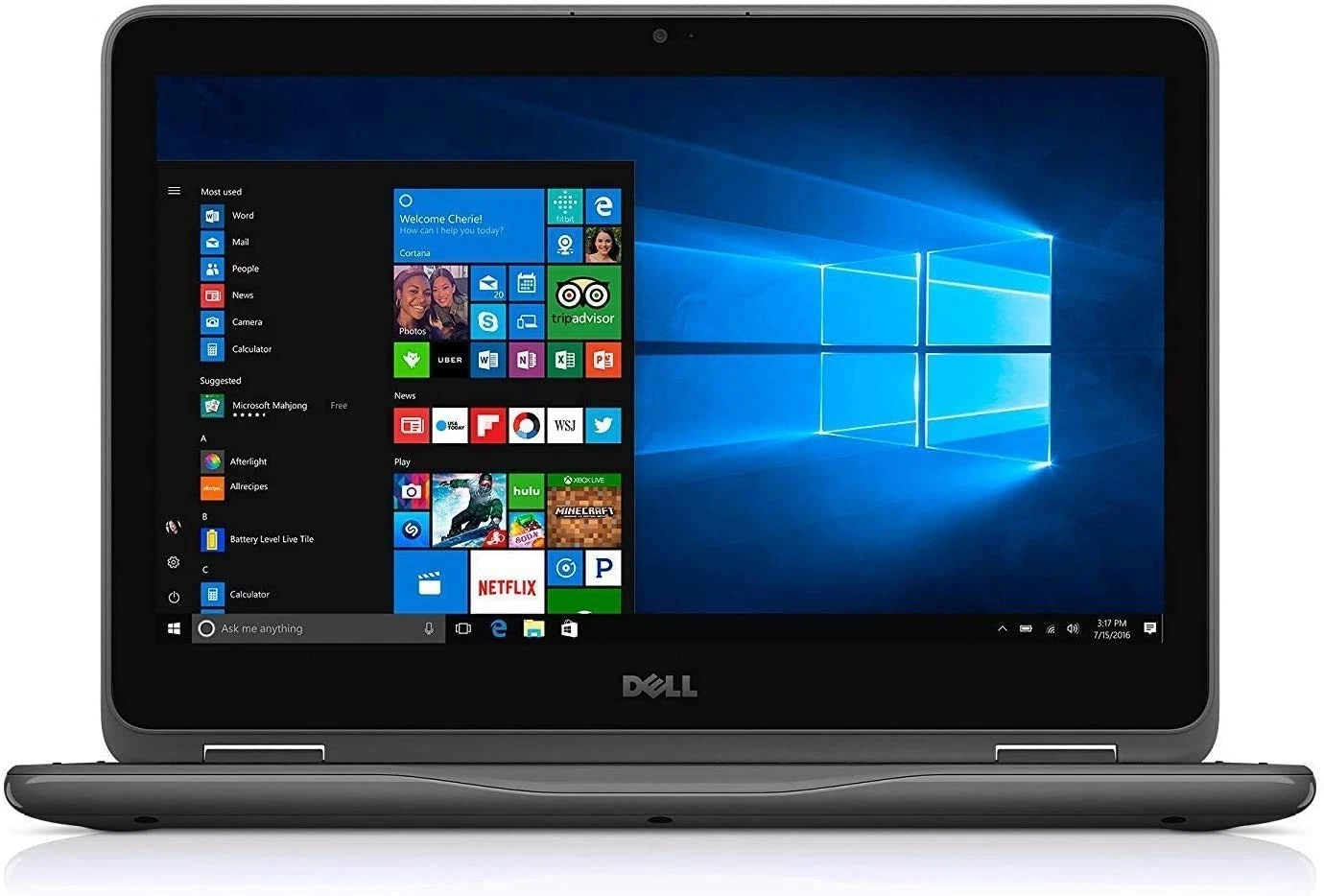
In-Depth Review: Dell Latitude Touchscreen 11.6" Laptop Celeron 4GB RAM 128GB SSD Windows 11 Pro


The Dell Latitude series has long been associated with durable, business-oriented laptops and education-market devices. The 11.6-inch touchscreen configuration with an Intel Celeron processor, 4GB of RAM, a 128GB SSD, and Windows 11 Pro is a compact, budget-focused machine designed for basic computing tasks, light productivity, and mobility.

Design and Build Quality
This Latitude model is small and lightweight, making it easy to carry between classes, meetings, or around the house. The 11.6-inch touchscreen display is adequate for the size, though it uses an HD resolution (1366×768), which means image clarity and sharpness are limited compared to modern Full HD screens. The touchscreen adds convenience for navigating Windows 11’s touch-friendly interface but doesn’t offer high fidelity or brightness that you’d find on premium laptops. The chassis is typical Dell Latitude plastic, sturdy but utilitarian, prioritizing durability and function over aesthetics.

Display and Touch Experience
The 11.6-inch display is serviceable for web browsing, emails, video calls, and streaming. Colors and viewing angles are modest, and because the pixel count is low, fine details may appear soft, especially when reading small text or working with detailed documents. The touchscreen responds reasonably well to taps and swipes, though it’s not as fluid as higher-end touchscreens. For basic touch navigation and casual use, it works without major issues.

Performance
The Intel Celeron processor paired with 4GB of RAM and a 128GB solid-state drive delivers enough performance for everyday tasks like web browsing, document editing, email, and light media consumption. The SSD ensures faster boot times and snappier responses than traditional hard drives, making day-to-day use feel quicker than less-expensive systems with eMMC storage. However, this hardware is not built for heavy multitasking, video editing, gaming, or demanding applications. Opening many browser tabs or running resource-intensive software will quickly expose the limits of the low-power Celeron CPU and limited RAM.

Windows 11 Pro runs on this configuration, bringing business-friendly features such as BitLocker encryption and remote management, but the system’s modest hardware means that Windows itself uses a significant portion of available memory, leaving limited headroom for apps. Don’t expect high performance or smooth responsiveness under load — it’s best viewed as a basic productivity device.

Battery Life and Portability
Battery life on this Latitude is generally good for an 11.6-inch laptop, often lasting a full school or work session with light use. Real-world results vary with settings and use patterns, but users often report long endurance given the small display and low-power components. Its compact size, light weight, and touchscreen make it ideal for travel, commuting, or carrying in a backpack without fatigue.

Storage and Memory
The 128GB SSD provides much faster access than old mechanical drives and usually enough room for the operating system and essential applications. However, with only 128GB, space can fill up quickly once apps, documents, media, and updates are added. The 4GB of RAM, while typical for budget models, is minimal for modern Windows and many browsers, which can result in sluggish behavior and memory bottlenecks during multitasking.

User and Community Feedback
Owners of similar 11.6-inch Latitude laptops often praise their portability and basic functionality for everyday tasks, especially when used as secondary devices or for light office work. Many users find the SSD and touchscreen useful while acknowledging that the performance and screen quality are limited. Some common criticisms include slow performance under load, limited storage space, and display quality that can feel dated compared to newer laptops.

Who This Laptop Is Best For
This Dell Latitude is best for students, casual users, business users who need a lightweight secondary machine, or anyone who needs a simple Windows device for basic tasks like email, streaming, Microsoft Office, and web browsing. It’s not suited for creative professionals, gamers, heavy multitaskers, or users who expect fast performance with demanding applications.

Summary
The Dell Latitude Touchscreen 11.6" laptop with Celeron, 4GB RAM, 128GB SSD, and Windows 11 Pro is a compact, affordable Windows machine built for essential productivity and mobility. Its strengths lie in its portability, touchscreen interface, and SSD storage, making everyday tasks feel smoother than on older budget laptops. However, limited RAM, modest processing power, and a basic HD screen mean it’s not ideal for heavy workloads or multimedia tasks. If you need a simple, lightweight Windows laptop for school, work, or casual use, this configuration delivers practical value within its performance constraints.

See The Dell Latitude On Ebay!

Monday, June 16, 2025

Bose QuietComfort Ultra Over-Ear Headphones – An In-Depth Review


The Bose QuietComfort Ultra Over-Ear Headphones mark the next chapter in Bose's legacy of delivering premium noise-canceling audio gear. Building upon decades of innovation and refinement, this model is designed for audiophiles, frequent travelers, and anyone who demands immersive sound paired with top-tier comfort. With refined design, cutting-edge features, and Bose’s signature sound, these headphones aim to be a market leader. Here's an in-depth look at how they perform across various aspects.

Design and Build Quality

The Bose QuietComfort Ultra headphones feature a sleek, minimalistic design that aligns with modern aesthetics while also prioritizing function. The headphones are primarily constructed with a mix of high-quality plastic and aluminum components, offering both durability and lightness. The plush ear cushions are made from protein leather, which gives them a soft, luxurious feel without causing ear fatigue even during extended listening sessions.

The headband is well-padded and evenly distributes weight across the top of the head, preventing pressure points. Overall, the headphones feel sturdy and premium in the hand. The hinges fold flat and the ear cups rotate, making them easier to store in a compact case. Despite the slightly bulkier frame compared to in-ear alternatives, the QuietComfort Ultra maintains a sleek profile and feels ergonomic on the head.

Comfort and Wearability

Bose continues its tradition of prioritizing comfort with the QuietComfort Ultra. The ear cups are large enough to encase the ears completely, effectively providing passive noise isolation. The clamping force is firm yet not overly tight, balancing security and comfort. Users can wear these headphones for hours without discomfort, making them ideal for long flights, work sessions, or daily commuting.

Ventilation is subtle but present, minimizing heat build-up during extended wear. The light weight of the headphones, combined with their balanced fit, ensures minimal neck strain or pressure around the ears.

Active Noise Cancellation (ANC)

Noise cancellation is where the QuietComfort Ultra shines brightest. Bose’s proprietary ANC technology in this model has been enhanced to deliver more adaptive and refined noise suppression. Whether on a bustling street, in a noisy office, or aboard a jetliner, these headphones do an excellent job of eliminating unwanted ambient sounds.

The ANC system is dynamic, responding in real-time to changes in your environment. Users can customize levels through various modes, including Quiet Mode for full noise cancellation and Aware Mode, which blends external sounds for safer awareness in public spaces. Transitions between modes are smooth and can be controlled with intuitive on-device buttons or through the Bose companion app.

Audio Performance

Sound quality on the QuietComfort Ultra is a standout feature. Bose has incorporated advanced signal processing and a new spatial audio system that creates a more immersive listening experience. The headphones offer a rich, balanced sound signature, with well-defined highs, clear mids, and punchy lows that don't overpower.

Vocals sound natural and uncolored, making these headphones well-suited for a range of genres—from acoustic and classical to rock, pop, and hip-hop. Bass lovers will appreciate the depth and response without the muddiness that sometimes plagues consumer headphones.

A highlight is the incorporation of spatial audio, which gives a three-dimensional feel to tracks. This makes music sound more like a live performance, enhancing immersion. The feature works especially well for high-fidelity streaming and movie watching.

Battery Life and Charging

Battery performance on the Bose QuietComfort Ultra is competitive, offering up to 24 hours of playback with ANC enabled. For casual users, this translates to several days of usage on a single charge. With ANC off, battery life extends further, making them suitable for long trips.

Charging is handled via USB-C and is relatively quick. A 15-minute quick charge yields up to 3 hours of playback, which is ideal for situations where you need a boost on the go. Battery status is clearly indicated both audibly when turning the headphones on and through the companion app.

Connectivity and Controls

Bluetooth 5.3 ensures a stable and efficient wireless connection with minimal lag or dropouts. Multipoint pairing allows users to connect to two devices simultaneously—such as a smartphone and a laptop—seamlessly switching between them without manual disconnection.

Touch-sensitive controls on the earcups, along with physical buttons for essential functions like ANC mode switching and volume control, offer intuitive operation. Voice prompts and tone feedback are subtle and informative. The headphones also support voice assistants like Google Assistant and Siri, activated either through button presses or voice commands.

App Integration and Customization

The Bose Music app enhances user experience with customization options including adjustable EQ, firmware updates, ANC settings, and mode toggles. The interface is clean and user-friendly, allowing even non-technical users to navigate easily.

One particularly useful feature is the ability to create custom listening profiles, each with its own ANC level and EQ setting. This makes it easy to switch between personalized configurations depending on where you are or what you're doing.

Call Quality and Microphone Performance

Call performance on the QuietComfort Ultra is excellent. The headphone's beamforming microphones and noise-rejecting algorithms ensure your voice comes through clearly even in noisy environments. Whether taking calls indoors or outdoors, the headphones isolate your voice well from background disturbances, making them suitable for business use or casual chats.

Final Thoughts

The Bose QuietComfort Ultra Over-Ear Headphones successfully uphold the brand’s reputation for high-end audio experiences. With a perfect mix of luxurious comfort, leading noise cancellation, immersive sound, and reliable battery life, they cater to both casual listeners and audio enthusiasts. While they carry a premium price tag, the value they deliver in performance, comfort, and versatility justifies the investment.

For those seeking a top-of-the-line pair of wireless headphones for travel, work, and leisure, the QuietComfort Ultra represents one of the best offerings currently available in the over-ear segment.

Find The BOSE QuietComfort Headphones On Ebay!

Wednesday, February 26, 2025

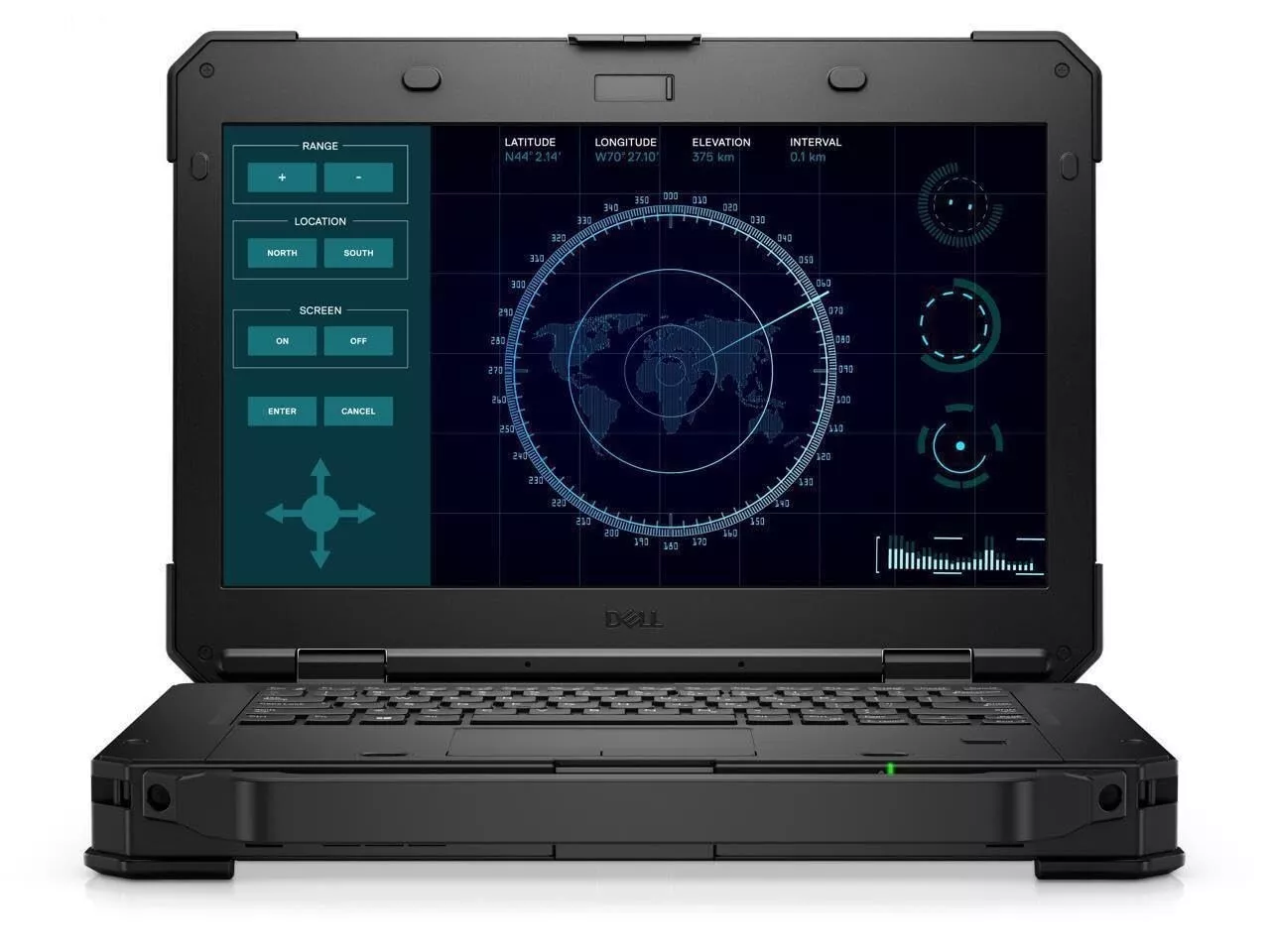
Dell Latitude 5424 Rugged Laptop Review


Introduction

The Dell Latitude 5424 Rugged Laptop is designed for professionals who need a durable and reliable device for demanding environments. Built to withstand extreme conditions, this 14-inch laptop offers a blend of performance, rugged construction, and modern features. Equipped with an Intel Core i5 processor, 8GB of RAM, and a 512GB SSD, it runs Windows 11 Pro, making it a suitable choice for field workers, military personnel, engineers, and outdoor professionals.

This review will take an in-depth look at the laptop’s design, display, performance, durability, battery life, and more to determine if it meets the expectations of a rugged computing device.

Design and Build Quality

The Dell Latitude 5424 follows the signature rugged design that Dell’s Latitude Rugged series is known for. It features a thick, reinforced chassis with rubberized edges to absorb shock from drops and impacts. The laptop is MIL-STD-810G certified, meaning it has undergone extensive military-grade testing for durability, including resistance to dust, moisture, vibrations, and temperature extremes.

One of the standout features is its handle, which makes it easier to carry around. The hinges feel strong, and the overall construction gives a sense of confidence that it can handle tough working conditions. Despite being rugged, it maintains a relatively sleek and modern aesthetic compared to bulkier competitors.

Display Quality

The 14-inch Full HD display provides a sharp and clear viewing experience, making it suitable for professionals who work with detailed visuals or documents. The anti-glare coating helps reduce reflections, allowing for comfortable outdoor use. The screen is brightness adjustable, which is essential for different lighting conditions, whether working under the sun or in low-light environments.

Touchscreen functionality is available in some models, adding extra versatility for those who prefer intuitive touch controls over traditional keyboard and mouse input. The touch display also works with gloves, making it useful for fieldwork.

Performance and Hardware

The Intel Core i5 processor in the Dell Latitude 5424 ensures a smooth and efficient computing experience. Paired with 8GB of RAM, the laptop handles multitasking, data entry, document processing, and web browsing with ease.

For storage, the 512GB SSD offers fast boot times and quick file access. The SSD also improves durability compared to traditional hard drives, as it has no moving parts that could fail due to impact. If additional storage is needed, there are options for upgrading.

This laptop also comes with Windows 11 Pro, which enhances security, productivity, and compatibility with modern applications. Windows 11 Pro includes advanced features such as BitLocker encryption and remote desktop access, making it a good choice for business and field professionals.

Keyboard and Touchpad

The keyboard is backlit, making it convenient for low-light environments. It is spill-resistant, which adds another layer of protection against accidental liquid spills. The keys are well-spaced and tactile, allowing for comfortable and precise typing.

The touchpad is responsive, supporting multi-touch gestures for smooth navigation. Given that many rugged laptops have stiff or unresponsive touchpads, the Latitude 5424 does well in providing a good user experience.

Connectivity and Ports

The Dell Latitude 5424 includes a variety of ports, ensuring compatibility with different devices and accessories. Some of the notable connectivity features include:

  • USB 3.1 ports for fast data transfer
  • USB-C port for modern peripherals and charging
  • HDMI and VGA ports for external display connectivity
  • Ethernet port for reliable wired internet connections
  • Smart Card reader for enhanced security options
  • Optional Thunderbolt 3 port for high-speed data transfers

These connectivity options make the laptop adaptable to various work environments, from office settings to field operations.

Durability and Security Features

As a rugged laptop, the Latitude 5424 is designed to handle tough conditions. It can survive drops, shocks, vibration, humidity, and extreme temperatures, making it ideal for industries such as construction, military, and emergency response.

Security features include:

  • TPM 2.0 for encryption and secure boot
  • Fingerprint scanner for biometric authentication
  • Smart Card reader for secure access control
  • Windows 11 Pro security enhancements

These features ensure that sensitive data remains protected, even in high-risk environments.

Battery Life

Battery life is a key factor for rugged laptops, as they are often used in remote locations. The Latitude 5424 offers extended battery options, including hot-swappable dual batteries, allowing for continuous operation without shutting down the system.

With a standard battery configuration, users can expect up to 8-10 hours of usage, depending on workload and settings. The hot-swappable feature is especially useful for professionals who need uninterrupted performance throughout the day.

Audio and Webcam

The laptop comes with high-quality speakers that produce clear and loud audio, which is important for communication in noisy environments. The built-in microphone ensures that voice calls and video conferences are clear and distortion-free.

The HD webcam is suitable for video calls, but in low-light conditions, it may not perform as well as some premium webcams. However, it is sufficient for business meetings and virtual check-ins.

Who Should Buy the Dell Latitude 5424?

This laptop is best suited for professionals who need a tough, durable, and high-performing device. Some ideal users include:

  • Field engineers who work in extreme environments
  • Construction managers who need a rugged and portable computer
  • Military personnel requiring durability and security
  • Emergency responders needing reliability in critical situations
  • Outdoor researchers who need a laptop that withstands harsh weather

Pros and Cons

Pros:

  • Rugged and durable design with military-grade certification
  • Fast Intel Core i5 processor and 512GB SSD
  • Anti-glare Full HD display for outdoor use
  • Hot-swappable batteries for extended usage
  • Strong security features, including TPM 2.0 and biometric authentication
  • Variety of ports for connectivity and expandability

Cons:

  • Heavier and bulkier than standard laptops
  • Limited 8GB RAM, which may need an upgrade for heavy multitasking
  • Webcam quality could be improved
  • More expensive than non-rugged laptops with similar specs

Final Verdict

The Dell Latitude 5424 Rugged Laptop is an excellent choice for professionals working in challenging environments. It offers reliable performance, strong durability, and advanced security features, making it one of the best rugged laptops available. While it may not be the lightest or most affordable option, its ability to withstand harsh conditions and maintain efficiency makes it worth the investment for users who need a tough and dependable laptop.

Find The Dell 5424 On Ebay!

In-Depth Review: Dell Latitude Touchscreen 11.6" Laptop Celeron 4GB RAM 128GB SSD Windows 11 Pro

The Dell Latitude series has long been associated with durable, business-oriented laptops and education-market devices. The 11.6-inch tou...